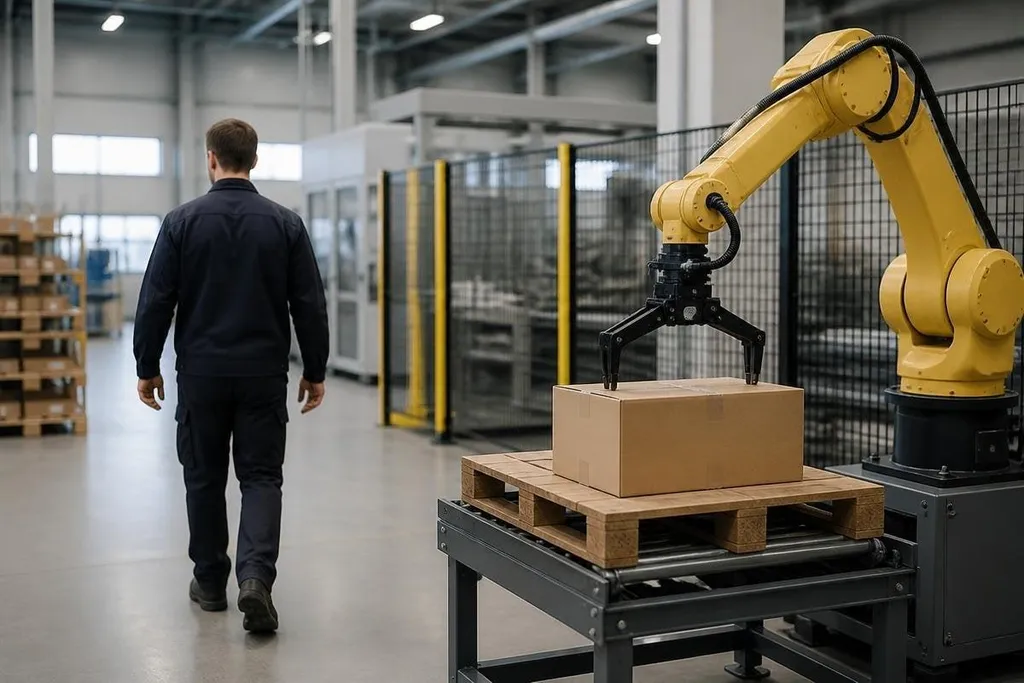
A robot working near people needs to detect a person before contact becomes possible. It does this with sensors, software, and safety rules that turn a detected body into a slower motion or a stop.
Quick read
- Cameras, LiDAR, depth sensors, and pressure sensors each detect different signs of human presence.
- A detection only matters when the robot changes its speed, path, or state in time.
Sensors do different jobs
A camera can identify a person by reading shapes in an image. It may also track movement, but poor light, blocked views, and a person facing away can reduce what the camera sees.
LiDAR sends out laser pulses and measures their return time. That produces a map of nearby surfaces, which can show a person as an object entering its path. LiDAR can work in low light, but it may struggle with glass, dust, or a body hidden behind equipment.
Depth cameras add distance to each image point. That helps the robot tell the difference between a nearby person and a person farther away. Ultrasonic sensors use sound instead of light and can help detect objects close to the robot, though their view is less detailed.
The sensor choice follows the workspace. A mobile robot in a warehouse needs a wide view around its base. An industrial arm needs to watch the work area, the reach of its joints, and the space where a person could enter.
Detection has to change the robot's action
Finding a person is only the first step. The control system must decide what to do with that information, then send the command quickly enough for the robot to slow down or stop before it reaches the person.
A safety scanner may divide the floor around a mobile robot into zones. A person in the outer zone can trigger slower travel. A person in a nearer zone can trigger a protective stop. The exact zones depend on speed, stopping distance, robot mass, and the space around the machine.
An industrial robot may use a safety-rated camera or scanner to monitor its cell. If the system detects entry through a guarded opening, the robot can stop its motion and remove power from the drive system. A stop is not the same as a pause in an ordinary software task; the safety system has to control the motion path directly.
That direct control makes sensor choice a practical safety issue. Robot safety reporting from Robot24.com can add named machines and test details as you compare how different sensors detect people near a robot.
Why one sensor is rarely enough
A single sensor can miss a person. A camera can lose sight of someone behind a box. LiDAR can read a thin object poorly. A floor sensor can detect weight but cannot tell where a person is moving.
Robot builders often combine sensor inputs. This is called sensor fusion: software compares data from different sensors and forms one view of the space. If one sensor reports an object and another reports movement, the robot has more information before it chooses an action.
The system also needs to separate people from fixed objects. A wall belongs to the map. A person does not. That distinction lets the system react to a person entering the work area instead of stopping every time the robot sees a shelf.
Limits in a live workspace
Detection can fail when the view is blocked, the sensor is dirty, or the robot receives data late.
A busy site adds more cases: workers may carry large boxes, wear dark clothing, move behind racks, or enter from a direction the robot cannot see.
Software can identify a person in an image, but identification is not the same as safe stopping. Safe stopping still needs enough time and space. A fast robot with a heavy load needs more stopping distance than a light robot moving slowly.
The system also needs regular checks. A changed shelf position, a new safety fence, or a damaged scanner can alter the area that the robot can see. I'd reject any deployment that treats human detection as a camera feature instead of a tested safety function.
Check before deployment
Use this short checklist when you review a robot that works near people:
- Sensor coverage: every entry path and blind area mapped
- Stopping test: measured stop distance at each working speed
- Blocked-view test: boxes, tools, and workers carrying loads included
- Fault response: clear action when a sensor loses power or data
- Cleaning plan: inspection and cleaning intervals written down
These checks connect the sensor to the actual task. A specification may list detection range, but the useful question is what the robot does at that range, with a person moving through the space.
The next step is a measured site test: mark the robot's stopping distance, place people on each approach path, and record every slow-down and stop before regular work begins.